kite-desktop
kite-desktopkite-desktop
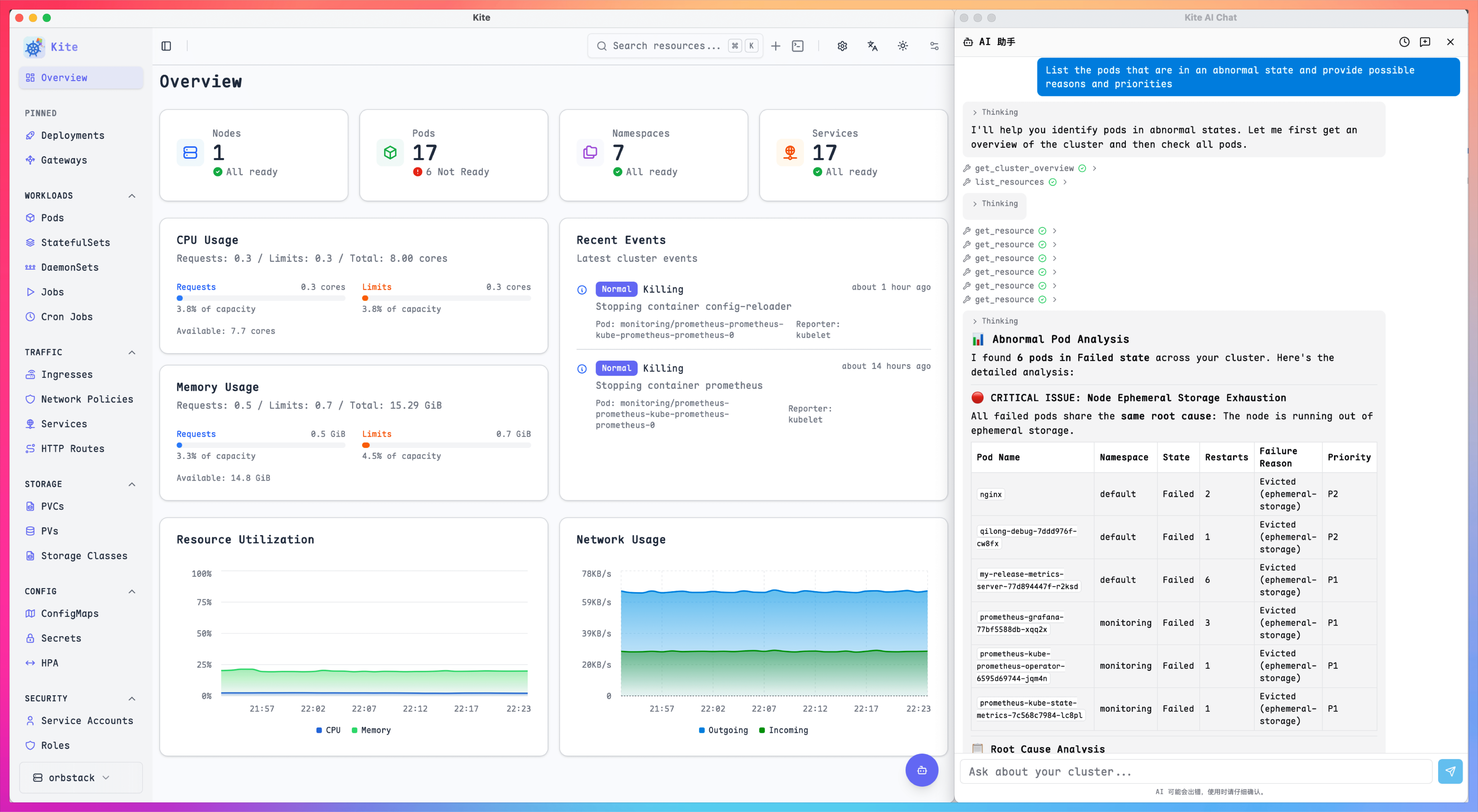
A desktop-first K8S multi-cluster management tool built with Wails v3, bringing cluster workflows into a native local experience.
Core Features
Built around real desktop cluster workflows
Focused on K8S multi-cluster management.
Powered by Go, React, and Wails v3.
Keeps the flexibility of web UI while unlocking native desktop capabilities.
Open Source Base
Developed in the open so the product direction, code, and iteration process stay transparent.
Desktop Native Experience
Built for desktop workflows with native window behavior and local-first interaction patterns.
Multi-Cluster Focus
Designed around Kubernetes multi-cluster management instead of squeezing cluster work into a browser tab.
Wails v3 Stack
Combines Go backend capabilities with a modern React frontend through Wails v3.
Installer Delivery
Roadmap includes native packaging, installation, and release workflows for desktop platforms.
Desktop Capability Expansion
Prepared to grow around local files, system browser handoff, and other desktop-specific abilities.
Release Plan
Delivery targets and platform support
Desktop installers are the main delivery format, with platform support expanding step by step.
Open Source
The project is publicly available and can be followed directly from GitHub.
- Public repository
- Open development process
- Community contribution friendly
Desktop Delivery
Focused on native desktop packaging and practical local workflows.
- macOS packaging direction
- Windows packaging direction
- Installer-based distribution
Capability Growth
The product will keep expanding around real desktop management needs.
- Native system integration
- File and browser handoff
- Desktop-first interaction polish
Project Notes
Why kite-desktop is moving to desktop
These cards summarize thekite-desktop product positioning, stack choices, and roadmap direction.
kite-desktop is positioned as a desktop-first Kubernetes multi-cluster management tool rather than a generic web dashboard wrapped in a shell.
Project Positioning
Desktop K8S Tool
The application is built around Wails v3 so it can keep a modern web UI while gaining direct access to desktop-native capabilities.
Technical Choice
Wails v3
Desktop direction makes it easier to support local file access, system dialogs, native windows, and browser handoff in a coherent workflow.
Native Ability
Local Integration
kite-desktop grows from a deep adaptation of the upstream Kite project and is now moving toward an independently evolving desktop product path.
Project Origin
Based on Kite
The intended delivery model is a real desktop application with install and release flow, not just a hosted cluster panel in the browser.
Delivery Form
Installable App
Future work is expected to keep strengthening native desktop abilities and adjust product interaction around everyday desktop operations.
Roadmap
Desktop First
FAQ
Frequently Asked Questions
Quick answers about positioning, stack, release targets, and development workflow.
kite-desktop is a desktop-first Kubernetes multi-cluster management tool built with Wails v3.
Desktop delivery makes it easier to integrate native windows, local files, system dialogs, external browser handoff, and installer-based distribution.
Yes. The repository is open on GitHub, so you can inspect the implementation, follow progress, and contribute improvements.
The project is built around Go, React, and Wails v3, combining backend capability with a modern frontend inside a desktop application.
Its core positioning is K8S multi-cluster management, which is one of the main reasons for building a dedicated desktop product.
Visit the GitHub repository, read the README, and follow the setup instructions provided there for local development and exploration.
The roadmap emphasizes stronger desktop-native capabilities, better packaging and release flow, and interactions tuned for desktop usage.
Yes. Installer packaging and release workflow are explicitly part of the desktop direction described for the project.